Pulse SMS (Phone/Tablet/Web)
- 3.6
- Rating
- 1.00M
- Installs
- Free
- Price

 Analysis by App-foxy
Pulse SMS is the kind of communication app I appreciate most when my phone is not the only screen in my day. It keeps ordinary text messaging at the center, but lets me manage those conversations from more than one device, which is useful when I am working at a computer or using a tablet. After spending time with it, I see it as a practical alternative to switching between a phone’s default Messages app and a separate chat service.
What makes it interesting is not that it tries to replace every messaging platform. It stays focused on SMS and on making those messages easier to handle across devices. That narrower purpose is also its main trade-off: if most of your conversations happen through internet-based services, Pulse SMS may feel less essential. If you still depend on text messages for family, appointments, delivery updates, or contacts who use different phones, it has a more convincing reason to exist.
How Pulse SMS feels in everyday use
When I look at Pulse SMS in a household context, I focus on how it fits around shared routines rather than treating it as a family chat service. This section considers the practical difference between having messages available on several screens and actually sharing an inbox, then turns to the setup choices that help keep those ideas separate.
You May Also Like

 Blood Strike: 2.5 Anniversary
Blood Strike’s Loadouts Turn Every Drop Into a Tactical Gamble
A close look at Blood Strike’s custom loadouts: how fast access to signature weapons reshapes its battle royale rhythm, rewards preparation, and narrows the gap between fights.

 Pandora - Music & Podcasts
Pandora’s Music Is Easy to Start, but Harder to Recover
Pandora’s strength is its low-effort path from a seed to a station. Its weak spot is how much confidence it asks you to place in connection, setup, and quiet recovery.

 8 Ball Pool
 Is Built on Rivalries, Rematches, and Routine
A close look at the rivalries, rematches, shared routines, and unanswered safety questions that turn a quick pool match into a persistent mobile community.

 Samsung Music
’s Quiet Strength Is Playing What You Already Own
Its reach comes less from spectacle than from dependable access to a personal library. That simplicity is both the app’s strongest retention engine and its ceiling.

 AccuWeather: Weather Radar
AccuWeather Review: A Quick, Clear Forecast for Everyday Decisions
For everyday plans, the best forecast is the one you can understand quickly. AccuWeather makes rain timing, radar, and local conditions easy to act on, with a few trade-offs.

 Hill Climb Racing
Why Hill Climb Racing Still Turns Crashes Into One More Run
A tiny car, a bumpy hill and one more upgrade: Hill Climb Racing keeps resurfacing because its simple chaos makes every near-miss feel personal.
More From Our News Desk



A familiar inbox with a wider reach
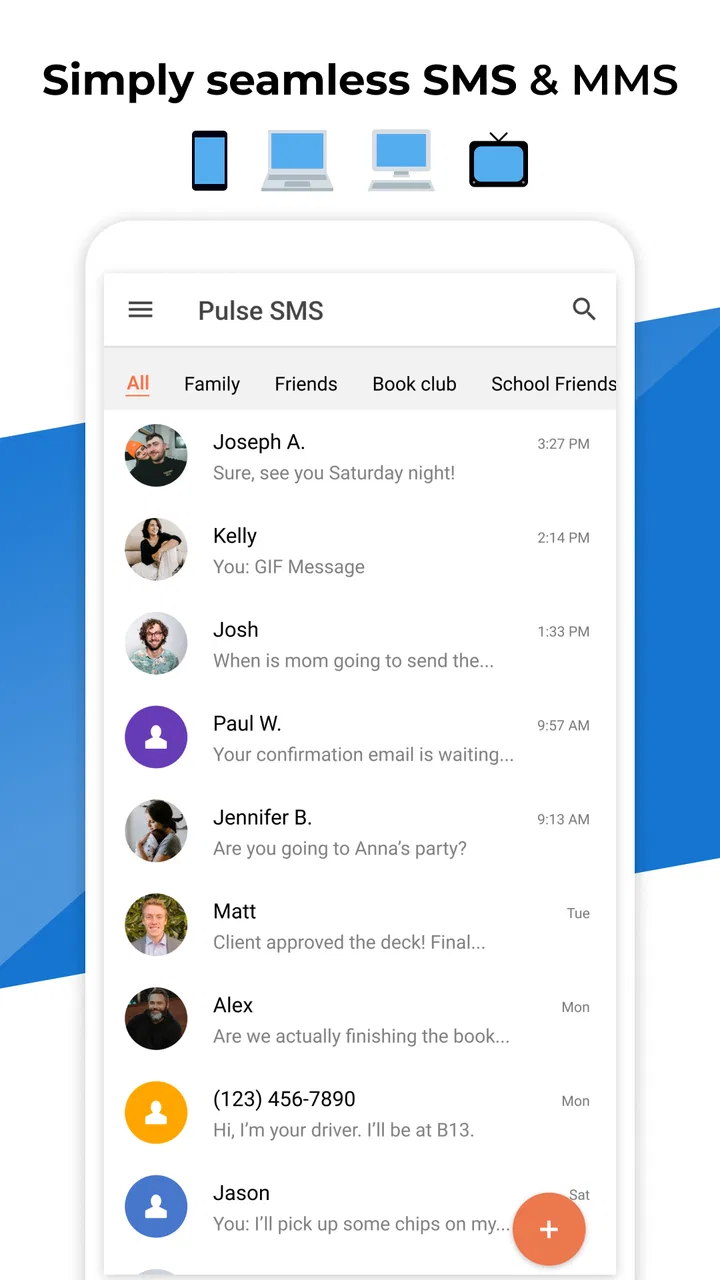
The first thing I noticed is that Pulse SMS does not ask me to learn an unfamiliar style of communication. The basic experience is still a conversation list, individual threads, and the usual process of writing a text. That makes the app approachable for anyone who has used a standard Android messaging tool. The value appears when I move away from the phone: the same general messaging workflow can follow me to a computer or tablet.
That cross-device approach changes the small moments where texting normally becomes inconvenient. If my phone is charging across the room, I can still deal with a message from another supported screen. When I am typing a longer reply, a physical keyboard is more comfortable than tapping on glass. I also find it useful for sorting through several conversations without repeatedly unlocking the phone and losing my place in another task.
Pulse SMS is developed by Maple Media and sits in the communication category. It is free to start, with optional in-app purchases ranging from $0.99 to $149.99 per item. I would not treat the free label as a promise that every cross-device capability will remain available without a purchase; instead, I would check the current options inside the app before building my entire messaging routine around a paid feature.
Where it fits better than a separate chat app
Many popular chat platforms work well only when everyone in a conversation uses the same service. SMS has a different advantage: it reaches people through their phone numbers, even when they have different devices or prefer different apps. Pulse SMS keeps that compatibility while adding a more flexible way to manage the inbox.
That makes it particularly appealing for mixed groups. I might use an internet messenger with close friends, but still need SMS for a school contact, a business, an older relative, or a temporary number. Pulse SMS does not force those conversations into a new social network. It improves the handling of the messages I already receive.
Compared with a phone manufacturer’s default messaging app, the strongest distinction is the device-spanning workflow. A standard app may be perfectly adequate if I only text from my handset. Pulse SMS becomes more persuasive when I regularly move between phone, tablet, and computer and want one place to manage those threads.
A realistic day with the app
Imagine I am working from a laptop while waiting for a delivery update. The notification arrives as a text, and I can read and answer it without interrupting the document in front of me. Later, I leave the desk and continue from the phone. That is not a dramatic feature, but it removes a repeated bit of friction from an ordinary day.
Another useful situation is travel planning. I may have confirmation messages, a contact’s phone number, and a last-minute change spread across several threads. Handling them from a larger screen makes it easier to review the conversation and type a clear response. I still need to remember that SMS is not the same as an encrypted internet chat, so I would avoid treating sensitive conversations as if they had the protections of a dedicated secure messenger.
Small workflow choices that make a difference
One practical habit is to decide in advance which device is best for each kind of message. I use the phone for quick replies and the larger screen for longer explanations or inbox cleanup. This sounds obvious, but it prevents the multi-device feature from becoming a novelty that I forget to use.
A second tip is to keep the app’s role clearly defined. I would use it as my SMS hub rather than expecting it to replace every communication service. Separating text messages from group chats, work collaboration, and media-heavy conversations makes the interface easier to understand and reduces disappointment when a conversation belongs elsewhere.
A third trade-off concerns account and device continuity. Cross-device messaging is convenient only when the setup remains consistent. Before relying on it for important communication, I would sign in on the devices I actually use, send a test message, and confirm that replies appear where I expect them. That simple check is more valuable than assuming every device will behave identically from the first launch.
What the current version tells me about its direction
For me, the key question is who controls each device and account, not simply whether a tablet or computer is within reach. I’ll look at the small decisions that make multi-device texting more predictable, including how to test a setup before depending on it and when a personal phone should remain the main point of access.
Version 7.0.3.3044 and the product’s maturity
The current version is 7.0.3.3044, which gives the app the feel of an established product rather than a brand-new experiment. Pulse SMS was released on November 15, 2016, so its central idea has had time to settle: keep SMS familiar while making it less tied to a single handset.
I would be careful, though, about reading a version number as proof of a particular redesign or feature. The useful conclusion is that the app is in a mature stage of development, while the exact experience can change through updates. Existing users should therefore judge the current build on the devices they use, especially if an older setup has become part of their daily routine.
Its age also explains why the app can appeal to people who want continuity instead of a completely new messaging identity. A long-running SMS tool is more likely to fit an established habit than a service that expects every contact to migrate. At the same time, maturity does not automatically mean perfection. Older design decisions can remain visible, and newer users may find some parts less streamlined than the latest first-party alternatives.
What changes mean for someone already using it
If I were an existing user, I would focus less on the headline version and more on whether my essential routines still work: receiving messages, replying from the devices I depend on, finding older threads, and keeping notifications under control. A change is valuable when it improves one of those daily actions without making the rest of the workflow harder.
I would also avoid updating immediately before an important trip or work period without testing the app afterward. This is not a criticism unique to Pulse SMS; any app that sits at the center of personal communication deserves a quick check after an update. I would send a short test, open a few existing conversations, and verify that the computer or tablet experience still matches my expectations.
For people considering a switch from another SMS app, the transition question is just as important. The app needs to fit the way you already organize messages, not merely look attractive in a screenshot. I would begin with a limited trial period, keep the previous workflow in mind, and make sure the cross-device benefit is substantial enough to justify changing a familiar default.
Who gets the most from Pulse SMS
I think it is best suited to people who still receive a meaningful amount of SMS and regularly use more than one screen. Students moving between a phone and a laptop, remote workers who answer personal messages during the day, and households that share information through ordinary texts can all find a practical benefit.
It can also help anyone who dislikes being locked to a small display for long replies. The ability to continue a text conversation from a keyboard is a quality-of-life improvement, especially when a message needs more than a few words. The app is less compelling for someone who almost never uses SMS or who already has every important conversation inside one preferred chat platform.
People who prioritize end-to-end encryption above convenience should also look elsewhere for sensitive discussions. Pulse SMS is built around SMS, and SMS remains dependent on the mobile messaging system rather than offering the same security model as a purpose-built encrypted messenger. I would use it for practical coordination, not confidential material.
Where the experience still has gaps
The biggest limitation is inherent to the format. SMS is useful because it is broadly reachable, but it is not a modern chat protocol in every respect. Expectations around rich media, reactions, large groups, delivery behavior, and privacy may not match what I get from a dedicated internet messaging service. Pulse SMS can improve management of texts, but it cannot turn every SMS exchange into a fully featured private chat.
There is also a cost question. Starting for free lowers the barrier to trying it, but the presence of in-app purchases means I would inspect which functions matter to me before committing to a long-term setup. Someone who only needs a basic phone inbox may prefer the built-in app and avoid an additional purchase decision altogether.
Multi-device convenience can introduce its own complexity. More screens mean more places to review notifications and more chances to leave a session open on a shared computer. I would be deliberate about which devices I connect, especially if other people can access them. The feature is strongest when the devices are personal and controlled by me.
Finally, the app may not be the right answer for users who want a unified home for every kind of conversation. Pulse SMS is specific, and that is both its strength and its boundary. If my priority is video calling, large media sharing, international internet messaging, or a community built around one service, I would choose an app designed for that purpose instead.
What I would watch before making it my default
My main focus would be the balance between the familiar SMS experience and the convenience of using other devices. I would watch how smoothly the app handles the exact combination of phone, tablet, and computer that I use, rather than assuming the experience is identical for everyone.
I would also pay attention to how updates affect long-standing habits. A good evolution should make the inbox easier to manage without hiding basic actions behind unnecessary changes. For current users, stability in message access matters more than cosmetic novelty. For new users, clarity around which features are free and which involve purchases will be important when deciding whether the app is worth adopting.
The public response suggests a sizable user base, with an average rating of 3.6 from around 82,000 ratings and more than 17,000 written reviews. I read that as a sign of a useful but not universally satisfying product: enough people find the idea worthwhile, while the middling average warns me to consider device compatibility, expectations, and pricing before switching completely.
My final recommendation
Pulse SMS is worth trying if your problem is not “I need another chat network,” but “I need my regular text messages to be easier to handle away from my phone.” That distinction matters. In my experience, the app’s best quality is practical continuity: I can keep SMS at the center while choosing the screen that suits the moment.
I would recommend it to multi-device users who want a more flexible SMS routine and do not mind checking the purchase options during setup. I would skip it if I rarely text, require strong privacy for every conversation, or want one app for calls, media, communities, and internet chat. Its content rating is Everyone, and it supports devices running Android 6.0 or later, which makes it accessible to a broad range of users, but accessibility alone does not make it the best fit.
With over one million installs, Pulse SMS has clearly found an audience for this particular approach. My honest view is that it succeeds when treated as a focused tool rather than a universal messenger. If your daily frustration is being tied to one screen, Pulse SMS has a clear and useful answer; if your frustration is the limits of SMS itself, another kind of messaging app will serve you better.
FAQs for Pulse SMS (Phone/Tablet/Web)
01What is Pulse SMS, and on which devices can I use it?
Pulse SMS is a text messaging application designed to replace or supplement the default SMS and MMS app on Android phones and tablets. It can also synchronize conversations with computers and other supported devices through its web interface. This makes it useful if you want to read and send regular text messages from more than one screen while keeping your conversations organized in one place.
02Does Pulse SMS require a subscription or payment?
Pulse SMS can generally be installed and used for basic messaging on an Android device, but some of its cross-platform and advanced features may require a premium purchase or subscription, depending on the current plan offered by the developer. Before downloading, check the Google Play listing and pricing details carefully, especially if you want to use web messaging, additional customization, backups, or synchronization features.
03Can Pulse SMS send messages from a computer or tablet?
Yes, one of Pulse SMS’s main advantages is the ability to access your conversations through supported web or tablet interfaces. After pairing and signing in, you can send and receive SMS and MMS messages without constantly picking up your phone. However, your Android phone usually remains connected to the mobile network, so the service is not a completely independent messaging platform like WhatsApp or Telegram.
04Is Pulse SMS private and secure enough for personal conversations?
Pulse SMS includes privacy-oriented options, such as app locking and protection for conversations, but users should understand that standard SMS and MMS messages are controlled by mobile carriers and are not end-to-end encrypted in the same way as many internet messaging services. Your security also depends on your account, device, browser, and network. Use a strong password and avoid accessing synchronized messages on shared computers.
05Will Pulse SMS work with my carrier and existing phone number?
Pulse SMS is intended to work with your Android phone’s existing mobile number and carrier, because it handles ordinary SMS and MMS messages rather than replacing the cellular service itself. Compatibility can still vary by carrier, messaging settings, dual-SIM configuration, and MMS requirements. Before relying on it, confirm that your phone can send and receive regular texts and that Pulse SMS is selected as the default messaging app when required.
Pros
- Clean interface with useful conversation search and organization tools.
- Works across Android devices
- tablets
- and the web with message syncing.
- Supports scheduled messages
- delayed sending
- and automatic replies.
- Offers spam blocking and customizable notifications for better message control.
- Provides themes
- emoji support
- and several personalization options.
Cons
- Cross-device messaging requires a Pulse account and may involve a subscription.
- Web access depends on the phone remaining connected and properly synchronized.
- Some advanced features are limited to paying users.
- SMS delivery still depends on your mobile carrier and network coverage.
- Privacy-conscious users may prefer a service with end-to-end encryption by default.

Pulse SMS (Phone/Tablet/Web)
Gallery